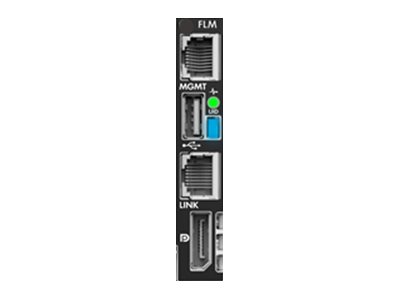
HPE Synergy 4-port Frame Link Module
Gamintojas:
Prekės kodas (MPN): 876852-B21
Prekės kodas (MPN): 876852-B21
Galite pratęsti garantiją pasirinkdami papildomą terminą.
Garantija
mėn.
mėn.
| Sandėlis | Sandėlyje / Atvyksta | Pratęsta garantija | Kaina (su PVM) | |
|---|---|---|---|---|
| S2 | - / - | 3581,72 € |
| Pagrindinės savybės |
|---|
| Product description: | HPE Synergy Frame Link Module - expansion module |
| Device type: | Expansion module |
| Dimensions (wxdxh): | 8.255 cm x 28.622 cm x 2.08 cm |
| Weight: | 630 g |
| Data link protocol: | 10GbE |
| Data transfer rate: | 10 Gbps |
| Manufacturer warranty: | 3-year warranty |
| Designed for: | Synergy 12000 Frame |
Aprašymas The frame link module is used by HPE OneView to discover and manage the Synergy frame. The frame link module is also an access point for hardware setup and the physical management of the Synergy frames cabled together in the data center. Use the monitor port on the front panel of the Synergy frame to connect to a display, keyboard, and mouse to perform the initial configuration of HPE OneView and enable remote management using a web browser and perform tasks such as changing a password or restoring a backup. Funkcijos Controls and monitors the thermal and power infrastructure resources in an HPE Synergy Frame Reports the health status for each component installed in a frame Collects asset and inventory information of components installed in a frame Links frames together to create a management ring Hosts the HPE Synergy Console user interface |
| Product description: | HPE Synergy Frame Link Module - expansion module |
| Device type: | Expansion module |
| Dimensions (wxdxh): | 8.255 cm x 28.622 cm x 2.08 cm |
| Weight: | 630 g |
| Data link protocol: | 10GbE |
| Data transfer rate: | 10 Gbps |
| Manufacturer warranty: | 3-year warranty |
| Designed for: | Synergy 12000 Frame |
Aprašymas
The frame link module is used by HPE OneView to discover and manage the Synergy frame.
The frame link module is also an access point for hardware setup and the physical management of the Synergy frames cabled together in the data center. Use the monitor port on the front panel of the Synergy frame to connect to a display, keyboard, and mouse to perform the initial configuration of HPE OneView and enable remote management using a web browser and perform tasks such as changing a password or restoring a backup.
Funkcijos
Controls and monitors the thermal and power infrastructure resources in an HPE Synergy Frame
Reports the health status for each component installed in a frame
Collects asset and inventory information of components installed in a frame
Links frames together to create a management ring
Hosts the HPE Synergy Console user interface